SpeechmaticsEditorial Team
Automatic speech recognition is becoming a serious product decision for EdTech teams. It is no longer limited to simple dictation or rough captioning. Schools, universities, training providers, tutoring platforms, and education apps are using speech technology to support accessibility, assessment, language learning, content search, note generation, and voice-led interaction.
That creates both an opportunity and a challenge. Speech recognition can make learning content easier to access and easier to use, but weak implementation quickly frustrates users. If captions are unreliable, feedback is slow, or multilingual speech is handled badly, the feature can damage trust instead of improving it.
This is why EdTech teams need a clear framework for evaluating automatic speech recognition. The right choice is rarely about adding a speech feature for its own sake. It is about deciding where speech recognition fits in the product, what level of accuracy is needed, and how the output supports real learning outcomes.
For teams comparing providers as part of that process, companies such as Speechmatics can sit within the wider shortlist when assessing language coverage, multilingual performance, and speech-to-text quality in education workflows.
Automatic speech recognition, often shortened to ASR, is the technology that converts spoken language into text. In an EdTech setting, that can support a wide range of functions across both teaching and learning.
A lecture platform may use ASR to generate captions and searchable transcripts. A language learning app may use it to analyse spoken responses. A tutoring platform may use it to summarise sessions. A school accessibility tool may rely on it to help students follow spoken instruction more easily.
The technology is the same in principle, though the product demands are very different. A university lecture archive needs something different from a pronunciation exercise for early language learners.
Education products are under pressure to do more with spoken content. Video lessons, live classes, recorded webinars, voice notes, oral assessments, and spoken feedback are now common across many platforms. That makes speech recognition far more relevant than it was a few years ago.
There is also a stronger expectation around accessibility and flexibility. Learners want to search lessons, revisit key points, follow captions, and study in ways that suit their pace and context. Teachers and administrators want tools that reduce manual workload rather than add to it.
ASR can support both sides when it is used well. It can make lessons more accessible, help students engage with spoken material, and reduce time spent on manual transcription and note preparation.
Before comparing tools, it helps to map the actual product use cases. Many teams think first about captions, though the opportunity is usually much broader.
Automatic speech recognition is often used for:
Live captions in classes and webinars
Recorded lecture transcription
Search across spoken lesson content
Study notes and summaries
Language learning exercises
Oral fluency assessment
Pronunciation support
Spoken assignment submission
Tutor session records
Accessibility support for learners with hearing loss or processing needs
Voice navigation or voice input in learning apps
Each use case creates a different technical bar. A searchable transcript for a lecture archive may tolerate a little imperfection. Pronunciation feedback in a language app often needs much tighter performance.
That variation is the main reason one-size-fits-all ASR decisions often disappoint.
Many buying decisions go wrong because the team starts with provider checklists instead of classroom or learner workflows. A platform may compare languages, price, and API access before asking what the learner or teacher actually needs from the transcript.
The stronger starting point is to identify the speech moments in the product. Where does spoken audio enter the system? Is it live, recorded, or both? Who needs the output? What happens after the text is generated?
A revision platform, for example, may care most about transcript search and note generation. A language app may care most about spoken response handling. A university platform may need a mix of live captions, stored transcripts, and compliance-friendly archives.
Is the speech live, recorded, or both?
Are users students, teachers, or administrators?
Is the output mainly for accessibility, learning support, or assessment?
Which languages and accents are common in the platform?
Do you need timestamps, speaker labels, or subtitles?
Will transcripts feed search, summaries, or analytics?
How accurate does the output need to be for the learning task?
Are there safeguarding, privacy, or retention rules to follow?
These questions usually expose the real product requirements much faster than a generic vendor comparison grid.
Accuracy matters in every ASR project, but in EdTech it needs to be judged in context. A benchmark result on clean speech does not tell you enough about how the system performs in actual educational settings.
Classrooms, webinars, lectures, and tutoring sessions often include weak microphones, mixed accents, interruptions, domain vocabulary, and inconsistent pacing. Younger learners may mumble. Teachers may move away from the microphone. Students may switch between languages or use subject-specific terms.
That means teams should test with realistic educational audio rather than polished demo clips.
Common trouble areas include:
Subject terminology being transcribed badly
Student names and place names being missed
Accent variation across teachers and learners
Background noise in classrooms
Overlapping speech during discussion
Mixed-language phrases in language learning or international education
Poor punctuation in long monologues
Weak recognition of young or hesitant speakers
A platform that relies on ASR for actual learning support cannot afford to ignore those patterns.
Many EdTech products serve diverse user groups. Even a platform focused on the UK may hear regional accents, international students, multilingual teachers, and mixed-language content.
This matters for both accessibility and fairness. If the system performs well for one type of speaker and poorly for another, the product experience becomes uneven very quickly. In assessment settings, that can become a much bigger issue.
Language support should therefore be evaluated in practical terms. It is not enough to ask whether a provider supports a language. You need to know how well it handles accent range, multilingual contexts, and the kinds of speech your learners actually produce.
Once language and accuracy requirements are clear, the next decision is whether the platform needs live speech recognition, batch processing, or both.
Live ASR is used when text needs to appear while someone is speaking. That is common in captions, classroom accessibility tools, and interactive language exercises. Batch ASR is used for recorded material, such as lecture archives, assignment uploads, and tutor session transcripts.
A tutoring platform with live sessions and downloadable lesson summaries may need both. A recorded course platform may need batch only.
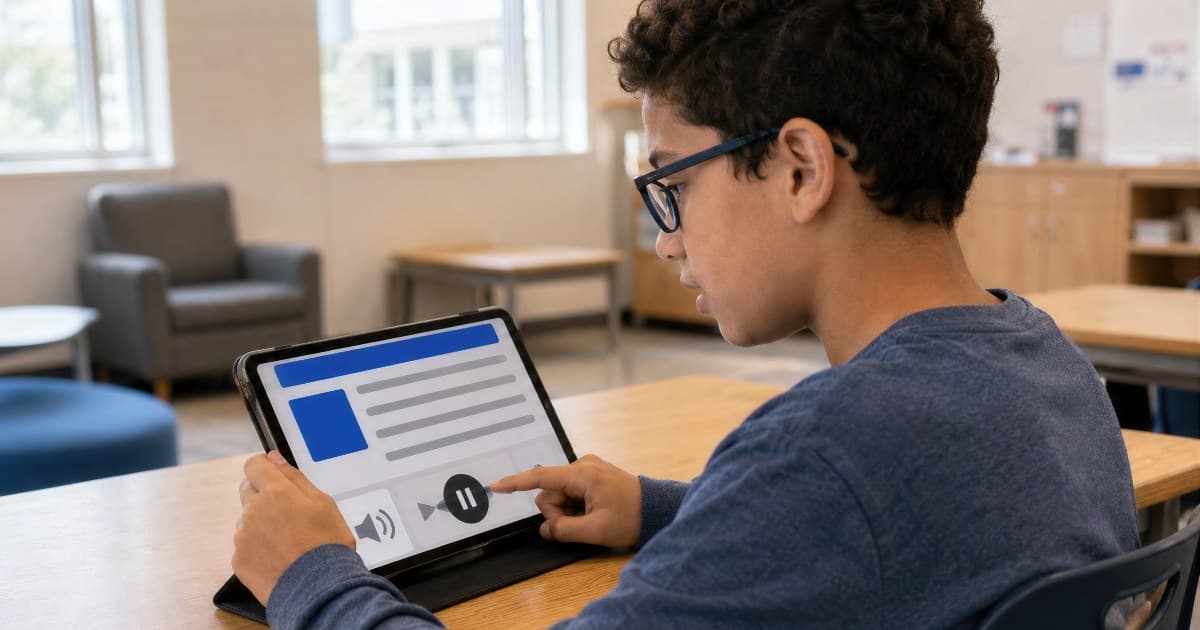
For many platforms, accessibility is where ASR proves its value fastest. Captions and transcripts can support learners who are deaf or hard of hearing, learners who process spoken information more easily in text form, and learners studying in noisy or shared environments.
It can also help students review material at their own pace. A searchable transcript lets a learner jump back to the exact point where a concept was explained. That supports revision and confidence, not only compliance.
Still, poor ASR can weaken accessibility rather than improve it. Inaccurate captions, broken punctuation, and confusing speaker changes make learning harder. Accessibility support needs to be dependable to be useful.
Once transcripts exist, the value often extends beyond accessibility. Text created from spoken lessons can make educational content far easier to search and repurpose.
A student may search for a key term inside a lecture. A teacher may pull transcript sections into revision guides. A course platform may use transcripts to create summaries, chapter markers, or quiz prompts.
This is where ASR becomes more than a speech feature. It becomes part of the content layer of the platform. That can create a much better return on investment than teams expect at the start.
As soon as speech recognition is used in language learning, the design questions change. A transcript alone is not enough. The platform may need to evaluate learner speech, detect likely mistakes, or respond to partial understanding.
This is a much more sensitive use case than passive captioning. Learners may speak hesitantly, with strong first-language influence, or in short fragments. The product has to support confidence rather than punish variation too aggressively.
Teams often need to think about:
Response accuracy for non-native speech
Pronunciation variation
Confidence scoring
Real-time responsiveness
Support across multiple teaching languages
Fairness across accents
Clear feedback design
A platform that uses ASR in speaking exercises should treat testing and pedagogy as closely linked.
EdTech platforms handling oral assessment or spoken assignment workflows face a higher level of risk. The transcript may feed marking, moderation, audit trails, or progress tracking. That means reliability matters much more than it does in a simple convenience feature.
If speech recognition is used in any way that influences scoring or review, the platform needs to think carefully about validation. Weak performance on accents, regional speech, or younger voices can create obvious problems.
A safer model is often to use ASR to support human review rather than replace it entirely, especially in higher-stakes contexts.
ASR quality is not only about recognising words. In education, formatting often decides whether the output is genuinely useful.
A long block of text with no timestamps, paragraph breaks, or speaker separation is much harder to study from. A tutoring session transcript becomes much more useful when teacher and student turns are separated clearly. A lecture archive becomes easier to navigate when timestamps are aligned with the video.
These output details shape how well the transcript works inside the product.
Speaker diarisation
Sentence and word timestamps
Punctuation and capitalisation
Subtitle-friendly formatting
Confidence scores where relevant
Export to notes, captions, or revision tools
The best setup depends on what the learner or teacher needs to do next.
Education data can be sensitive, especially when speech comes from children, tutoring sessions, classroom discussions, or assessed work. This means ASR decisions need to account for privacy, storage, and access from the start.
The platform should know where audio is stored, how long it is retained, who can retrieve transcripts, and whether any of the content needs redaction or tighter access controls. Safeguarding and institutional procurement teams may also need clear answers before adoption.
This is one reason implementation decisions should involve more than engineering alone.
At this stage, the biggest practical lesson is usually obvious: realistic testing matters. Clean internal demo files do not reflect busy classrooms, lecture theatres, student home setups, or multilingual tutoring calls.
A proper test set should include different speakers, accents, devices, noise conditions, and teaching styles. It should also include the terminology your platform hears most often.
Track:
Accuracy on target content
Performance across accents and age groups
Latency for live use cases
Transcript usefulness for search and revision
Caption readability
Error rate on names and subject terms
Performance in low-quality audio
Manual correction volume
The goal is not only to transcribe speech. It is to improve the educational outcome.
By this point, the weak patterns are usually easy to spot.
Speech recognition often shapes accessibility, search, and user trust more than teams expect.
That misses the real performance risks in diverse education settings.
Live captions, oral assessments, and lecture archives rarely need the same configuration.
A technically accurate transcript can still be hard to use for learning.
Education environments often need stronger handling of speech data.
Higher-stakes spoken assessment usually needs careful validation and human oversight.
The safest route is usually phased.
Choose one clear use case, such as recorded lecture transcription or live captions for webinars, and test the full workflow carefully.
Expand testing across accents, devices, and subject areas. Measure transcript quality, usability, and downstream value for learners and staff.
Add richer features such as search, summaries, multilingual support, oral practice workflows, or structured note generation once the base performance is stable.
That approach makes the implementation easier to manage and easier to evaluate honestly.
Automatic speech recognition can add real value to EdTech platforms when it is tied to genuine learning needs. It can support accessibility, improve revision, strengthen search, reduce manual admin, and make spoken content more useful across the product.
The strongest results usually come from starting with the educational workflow, testing with realistic audio, and choosing the level of accuracy and output structure that fits the learning task. Teams that treat ASR as part of the learning experience rather than a technical extra are much more likely to build something students and educators actually trust.
It is the use of speech-to-text technology to convert spoken educational content into text for captions, transcripts, search, assessment support, and other learning features.
It can provide captions and transcripts that help learners follow spoken content more easily, revisit lessons, and study in formats that suit their needs.
It depends on the use case. Live ASR is better for captions and interactive tools, while batch ASR is often better for recorded lectures, note generation, and transcript archives.
Yes, though it needs careful testing. Language learning products often need stronger handling of non-native speech, pronunciation variation, and real-time learner feedback.
They should test real educational audio across different speakers, accents, devices, noise conditions, and subject vocabularies, while also checking latency, formatting, and usability.
One of the biggest mistakes is treating it as a simple feature rather than part of the wider learning, accessibility, and assessment experience.


![[alt: Healthcare is a strain image]](/_next/image?url=https%3A%2F%2Fimages.ctfassets.net%2Fyze1aysi0225%2F4YLB294PotEnVZFTtksUt8%2F0f9e81fbe24027f52d1941713e032217%2Fmedical_blog_header_general_01.webp&w=3840&q=75)




![[alt: Dark teal banner for Agent STT, with a cyan audio-wave logo and text: “Speech-to-text purpose built for voice agents.”]](/_next/image?url=https%3A%2F%2Fimages.ctfassets.net%2Fyze1aysi0225%2F2dxy1TDbcnumiCFjG02CW7%2Fa6efeb049451db1e3339f839259fa16c%2Fagent-stt-blog-800x500.webp&w=3840&q=75)