SpeechmaticsEditorial Team
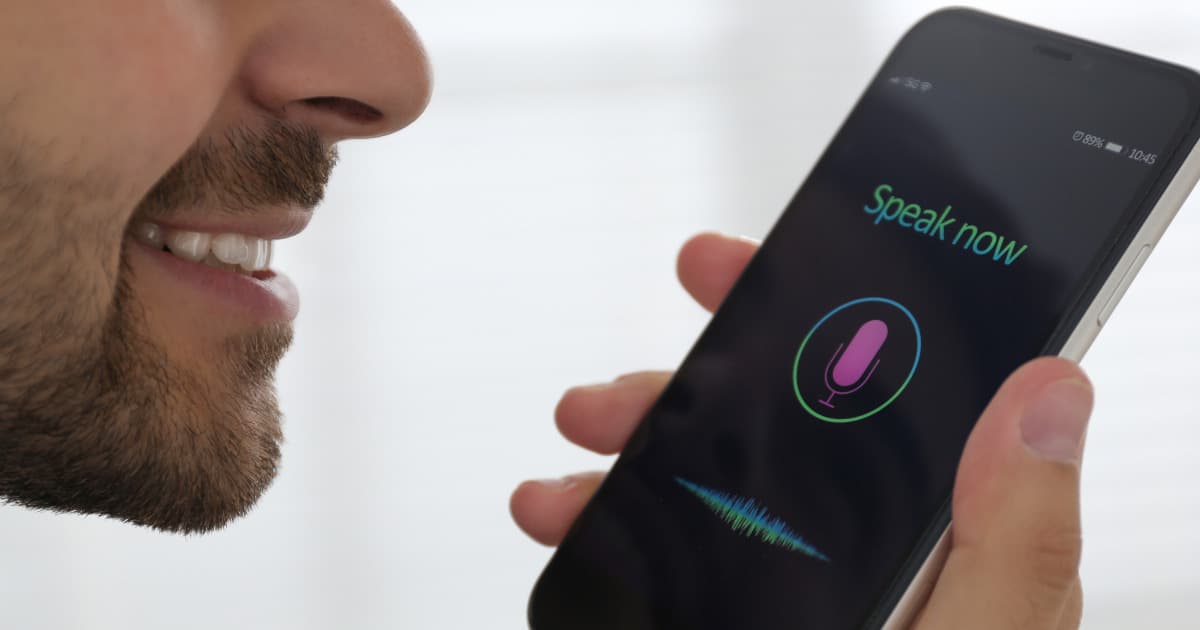
Adding speech recognition to a mobile application sounds simple until the real-world problems appear. A demo can turn spoken words into text in a few hours. A production feature has to work with weak mobile data, background noise, different accents, battery limits, permission prompts, and user expectations around speed and privacy.
That is the gap many teams underestimate. Speech recognition is not only a technical integration. It is a product feature that affects UX, infrastructure, compliance, and trust.
For teams evaluating providers, companies such as Speechmatics can be part of the wider shortlist when comparing speech recognition performance across languages, accents, and real-world audio conditions.
Speech recognition converts spoken audio into text that an app can use. That text might support search, dictation, voice commands, captions, note taking, messaging, or workflow updates.
The use case matters because it shapes the whole implementation. A fitness app capturing short voice commands has very different needs from a healthcare app creating consultation notes or a field-service app recording longer job updates.
Many teams begin by comparing APIs too early. That often leads to rework, since the right choice depends on what the user is trying to do.
Start with the action. How long will the user speak? Do they need live feedback? Will they be online? What happens after the transcript is returned? Once those answers are clear, the architecture becomes much easier to choose.
Typical use cases include:
Voice search inside the app
Dictation for messages or notes
Spoken form input
Command-based navigation
Call or meeting transcription
Real-time captions
Accessibility features
Workflow updates for mobile teams
Each one has different priorities. Commands care about speed. Dictation may care more about punctuation. Captions depend heavily on low latency.
After defining the use case, the next decision is where the speech processing should happen. Most mobile teams choose on-device recognition, cloud recognition, or a hybrid of both.
On-device recognition processes speech locally on the phone or tablet. This can reduce network dependence, improve response time, and support stronger privacy in some situations.
The trade-off is that model size, offline accuracy, and language support may be more limited depending on the device and implementation.
Cloud-based recognition sends audio to a remote service and returns text to the app. This often supports stronger models, broader language coverage, easier updates, and better handling of longer or more complex speech.
The trade-off is greater reliance on network quality, backend reliability, and clear data handling.
A hybrid model combines both. An app may use local recognition for short commands or fallback behaviour, then use cloud transcription for richer or longer tasks.
This works well when speed, resilience, and accuracy all matter.
That decision shapes UX, backend design, and performance expectations.
A speech feature often succeeds or fails at the UX layer. Users need to know when the app is listening, whether speech is still being captured, and what has gone wrong if the process fails.
Map the full interaction before coding. Decide how recording starts, how it ends, what visual feedback appears, and what happens during silence, interruption, or weak connection.
Useful elements often include:
A clear microphone trigger
Visible listening state
Audio level or waveform feedback
Streaming or loading indicators
Editable transcript output
Clear error messages
Retry and fallback options
Accessible non-voice controls
Good UX reduces frustration even before you improve raw recognition quality.
Speech recognition begins with microphone access. Many apps still get this wrong by triggering the permission prompt before the user understands the benefit.
Ask at the point of value. If the user taps the microphone to dictate a note, the permission request makes sense. If it appears with no context, rejection is more likely.
You also need to explain what happens to audio. Is it processed locally? Sent to a server? Stored for history or quality review? These answers matter for trust and for regulated sectors such as healthcare, finance, and legal services.
Even a strong speech engine struggles with poor audio. Mobile devices deal with background noise, echo, variable microphone quality, and changing speaker distance.
That means the audio pipeline matters almost as much as the transcription model.
Focus on:
Suitable sample rate and encoding
Stable microphone input handling
Background noise reduction where useful
Echo control for speakerphone scenarios
Consistent recording start and stop behaviour
Graceful handling of interruptions such as calls or app switching
A weak audio pipeline can make a strong engine look inaccurate.
The next design choice is whether the app needs live text while the user speaks or whether it can wait until recording ends.
Streaming transcription returns partial results in real time. This suits captions, commands, live note taking, and conversational interfaces.
Batch transcription processes the full recording after capture. This suits longer voice notes, interview uploads, or cases where final accuracy matters more than immediate feedback.
Streaming is often useful for:
Live captions
Voice commands
Real-time search
Conversational interfaces
Batch is often better for:
Voice notes
Longer dictation
Interview transcription
Post-call summaries
Choosing the wrong mode can add delay or unnecessary complexity.

Once the technical path is set, quality becomes the main issue. This is where many mobile apps disappoint users.
A feature may work well in clean internal testing and still fail in public use because real people speak quickly, pause, switch dialects, or use app-specific vocabulary. If your audience is broad, the testing set must be broad too.
Include:
Regional accents
Non-native speakers
Multilingual or code-switching speech
Fast and hesitant speaking styles
Indoor and outdoor noise
Device variation across iOS and Android
App-specific terms and names
Speech recognition quality is only meaningful if it reflects the people who will use the app.
Returning text is only one part of the job. The value comes from what the app does next.
The transcript may need formatting, punctuation, search handling, intent classification, or human review. A note-taking app may let the user edit before saving. A command-based app may confirm the action before carrying it out.
That means the speech layer should connect cleanly to the rest of the product rather than sitting as an isolated feature.
Mobile networks are unreliable. Users move between Wi-Fi and mobile data, background the app, or speak in weak-signal areas. A production-ready feature needs to handle those moments without breaking trust.
Build for:
Permission denied
No internet connection
Server timeout
Weak audio capture
Background interruption
Partial transcript return
Unsupported language or locale
Session expiry or token failure
A voice feature often feels polished or broken based on how it handles failure, not success.
Speech recognition can affect battery life, data usage, and app responsiveness. Always-on listening, long recordings, live streaming, and heavy post-processing can all add cost on the device.
This matters more for older phones, field-based users, and markets where mobile bandwidth is expensive. A better implementation balances accuracy with efficiency by limiting recording length, pausing inactive sessions, or switching intelligently between local and cloud modes.
If your app uses cloud speech recognition, the backend matters as much as the client. Audio transfer, authentication, temporary storage, and transcript handling all need attention.
Avoid putting sensitive API credentials directly in the mobile app. Use a secure backend or token-based setup where needed. Decide whether audio is stored temporarily, permanently, or not at all, then match retention to the use case.
A common mistake is testing only in quiet rooms on modern devices with internal users. That is not how production usage behaves.
Include testing across:
iOS and Android devices
Old and new hardware
Wi-Fi, 4G, and unstable mobile data
Quiet, noisy, and echo-heavy settings
Different accents and languages
Short commands and longer dictation
Foreground and interrupted sessions
This stage usually reveals whether the feature is genuinely ready.
Word accuracy matters, though it is not the only metric that shapes user experience. A feature can benchmark well and still feel poor if it is slow, fragile, or hard to correct.
Measure:
Word error rate or similar accuracy measures
Recognition latency
Completion rate
User correction rate
Audio upload or stream failure rate
Session abandonment
Battery and performance impact
Looking at these metrics together gives a much clearer view of product quality.
By this point, the weak patterns are usually easy to spot:
Starting with a vendor demo instead of a use case
Ignoring noisy real-world conditions
Treating all accents and languages as equal in practice
Forgetting UX and failure handling
Forcing every workflow through one architecture
Measuring accuracy without measuring user effort
A phased rollout is usually safer than launching speech recognition everywhere at once.
Pick one narrow use case with clear value, such as voice search or short dictation. Test it with a limited group of users and devices.
Measure accuracy, latency, correction effort, and failure cases. Improve the UX, permissions flow, and audio handling before expanding.
Add broader language support, richer workflows, or more advanced voice features once the core experience performs well in real conditions.
Adding speech recognition to a mobile application is not mainly about connecting a microphone to an API. It is about building a feature that works in unpredictable conditions, supports real users, and fits the app’s wider workflow.
The strongest mobile speech features begin with a clear use case, choose the right architecture, handle permissions and privacy properly, capture clean audio, test across accents and devices, and measure success beyond headline accuracy.
If your team gets those foundations right, speech recognition can become a genuinely useful part of the product rather than a feature that looked good in a sprint demo and caused frustration after launch.
Start with one clear use case, then choose the architecture that fits it best: on-device, cloud-based, or hybrid. From there, focus on audio quality, UX, privacy, and realistic testing.
It depends on the task. On-device can help with speed and offline use, while cloud recognition often supports stronger transcription for longer or more complex speech.
Improve audio capture, test across real accents and environments, tune the setup for the specific use case, and measure correction effort as well as raw accuracy.
Streaming is better for live feedback such as captions or commands. Batch transcription is often better for longer recordings where final accuracy matters more than instant response.
At minimum, the app usually needs microphone access. If cloud processing or transcript storage is involved, you also need clear privacy and data handling.
One of the biggest mistakes is testing only in clean internal conditions. A feature that works well in a quiet office may struggle badly once real users speak in noisy, varied mobile environments.


![[alt: Healthcare is a strain image]](/_next/image?url=https%3A%2F%2Fimages.ctfassets.net%2Fyze1aysi0225%2F4YLB294PotEnVZFTtksUt8%2F0f9e81fbe24027f52d1941713e032217%2Fmedical_blog_header_general_01.webp&w=3840&q=75)




![[alt: Dark teal banner for Agent STT, with a cyan audio-wave logo and text: “Speech-to-text purpose built for voice agents.”]](/_next/image?url=https%3A%2F%2Fimages.ctfassets.net%2Fyze1aysi0225%2F2dxy1TDbcnumiCFjG02CW7%2Fa6efeb049451db1e3339f839259fa16c%2Fagent-stt-blog-800x500.webp&w=3840&q=75)